


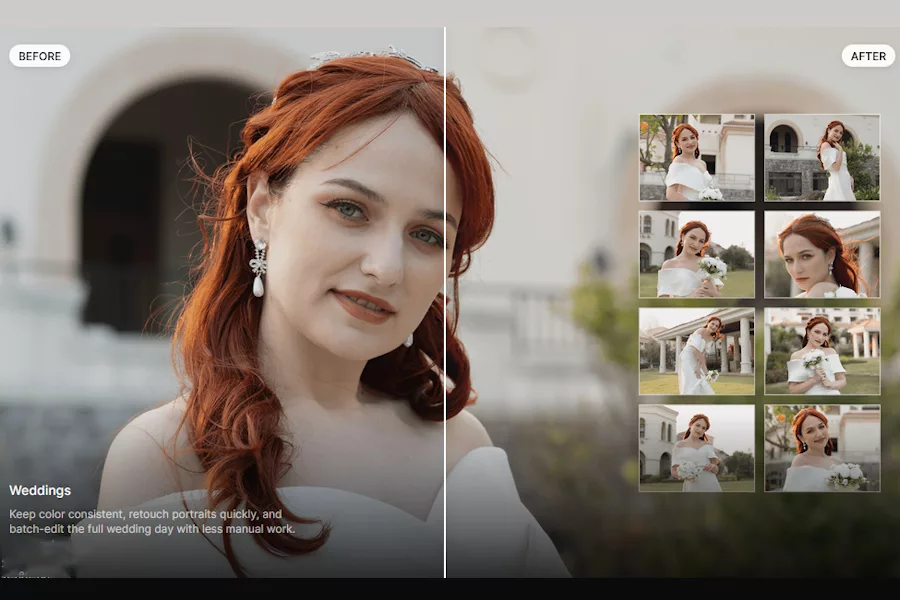

Here it suggested ‘glowing,’ retouching and enhancing specifically for portraits, which added some skin smoothing and blemish removal over the couple in the image.
If the suggested presets are not quite what you’re looking for in your end result you can always refine the adjustments using the options provided in the left-hand panel, while there’s also a ‘master slider,’ control that allows you to rein things in to reduce the affects added. Regarding these presets for automatic retouching, I did find that they could add more than I would personally like at times, so having the ‘master slider’ to hand made it easy to adapt things to my preferences.
Retouching is very much subjective and liable to personal preference, so the ability to customise my end result via this feature was great, and generally I found the sweet spot to be around 50% consistently across most of my images. You can also create your own presets and have them readily available each time you’re working within Evoto.
Further tools
Tethered shooting is also supported within Evoto, so you can edit and retouch in real time on a photoshoot. This is great for any studio, fashion or e-commerce photographers who might have the requirement for immediate end results.
Retouching is limitless here, with so many tools that can cover every possible need. Beyond the basic expected options, there’s skin smoothing, blemish removal and body and facial re-composition, with notable mentions going to such thoughtful features as glasses glare removal, AI open eyes for group shots that need rescuing and background remover, which is great for studio or e-commerce photographers wanting clean, crisp and consistent backgrounds. There’s also a clothes wrinkle remover and a clothes colour changer option, all things that could get a professional image maker out of a hole.
The options go into extraordinary detail at times: for example, there’s now even a dedicated slider for removing foot veins, and who would have known we needed that? Pets also get star treatment here, with dedicated pet/animal retouching tool for stray fur removal and leash removal at the click of a button. It is fair to say that pretty much whatever you might possibly want to do is achievable here, and I was impressed by the variety of situations that are covered. In my video review I showcase many of the options visually, so it’s definitely worth checking that out.
RIGHT: Before and after slider showing the slight eye adjustments

 Estudio EA